
Let AI write the message.
You fill in what changes.
Type one line and AI writes the message, leaving blanks for the parts that change, like a name, a date or an amount. When it's time to send, fill in just those blanks from the Quickly keyboard, in any app.
Coming soon to the App StoreFree · No ads · iOS 18 or later · iPhone · iPad
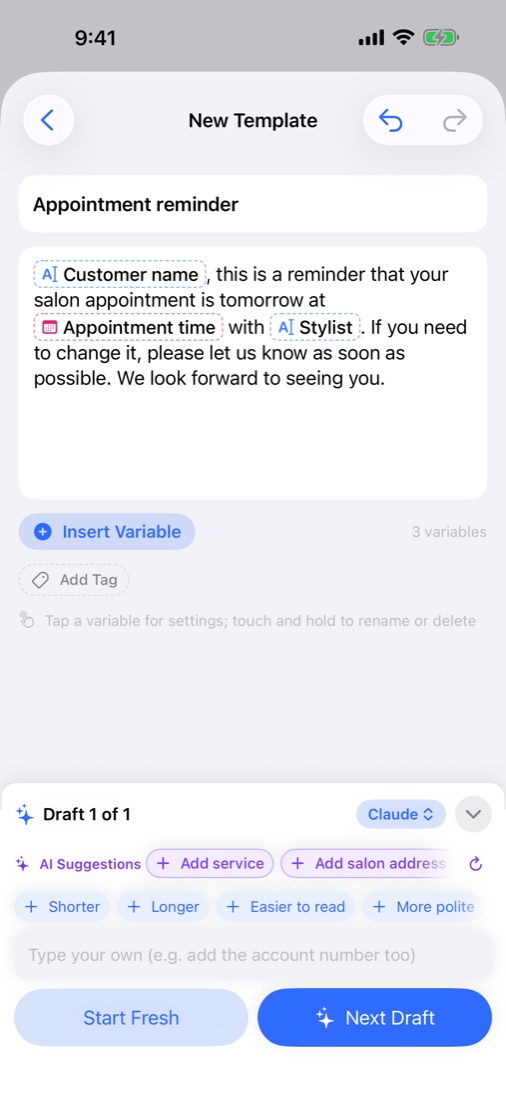
Type, fill in, send.
Everything you need, built in.
Describe the situation in one line, or paste a message you already send. You get it back with the changing parts as variables. Tap Shorter or More polite to fine-tune.
Apple Intelligence on your device, for free; the ChatGPT, Claude or Gemini app you already use; or your own API key. Or skip AI and write it yourself.
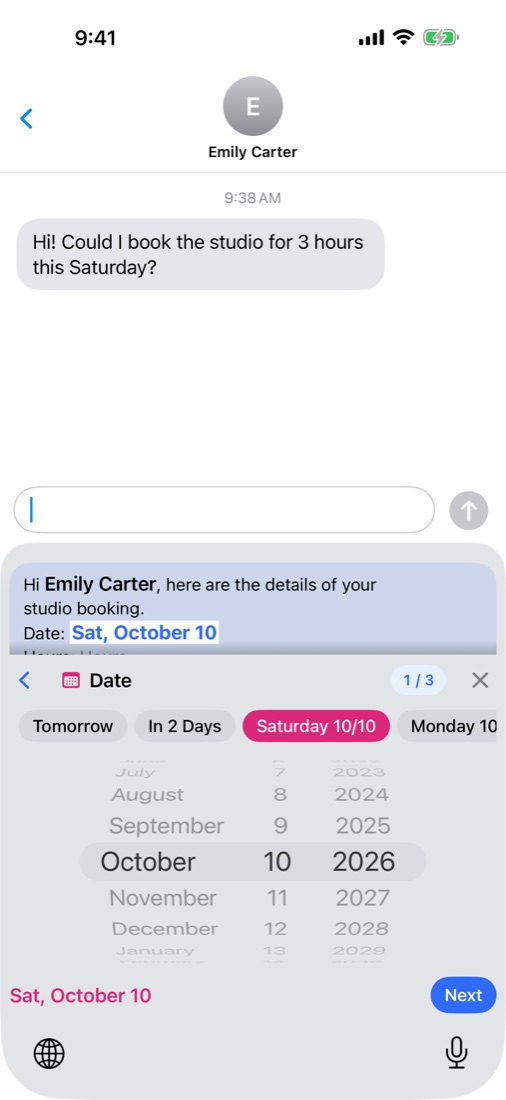
In Messages, Mail or any chat app, pick a template and fill in the values. Type as usual, too, in 11 languages.
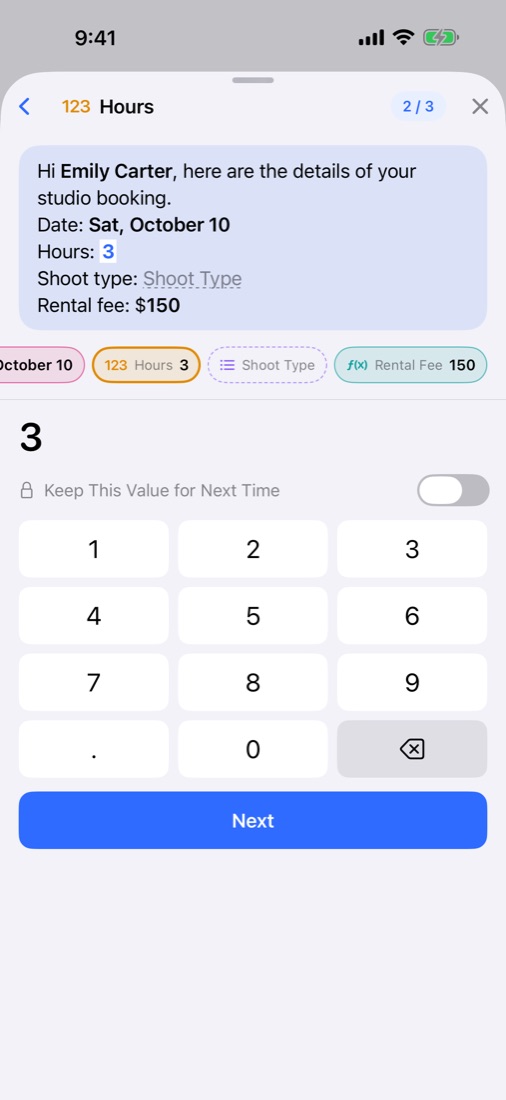
Tomorrow or this Saturday in one tap, amounts with the currency symbol added for you, and formulas that fill in the total.
Every message you fill in is kept in Finished Texts, ready to use again. Sort with tags and search by title or content.
Templates, tags and Finished Texts stay in sync on devices with the same iCloud account. Export a backup file anytime. Light and Dark Mode.
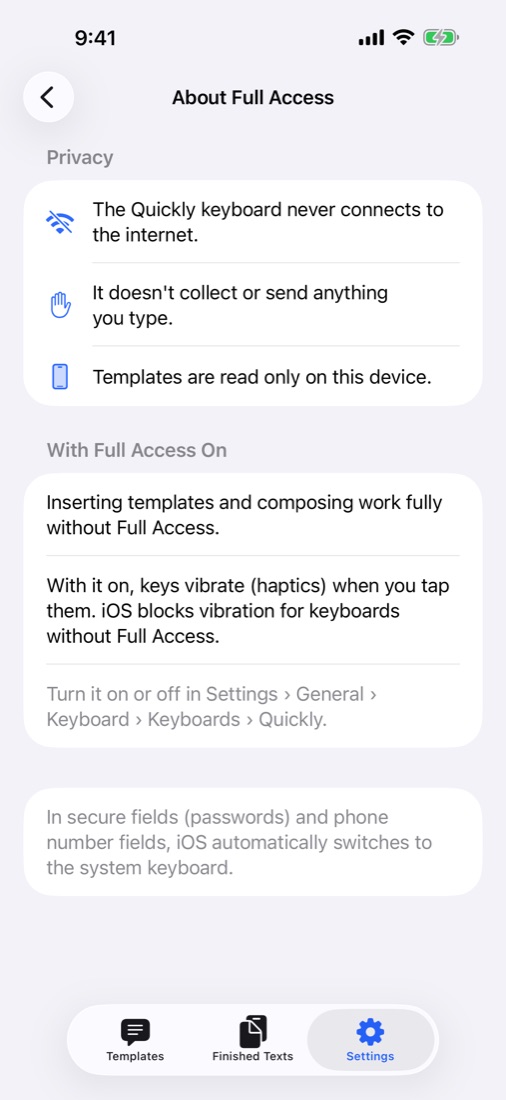
Your messages are stored only on your device and in your own iCloud, where not even the developer can see them. No sign-up, no ads, no tracking, and the keyboard never goes online — Privacy